Overview:
If you have booked an amenity and need to cancel it can be done easily directly through your tenant account.
Steps:
- Log into your Payquad account
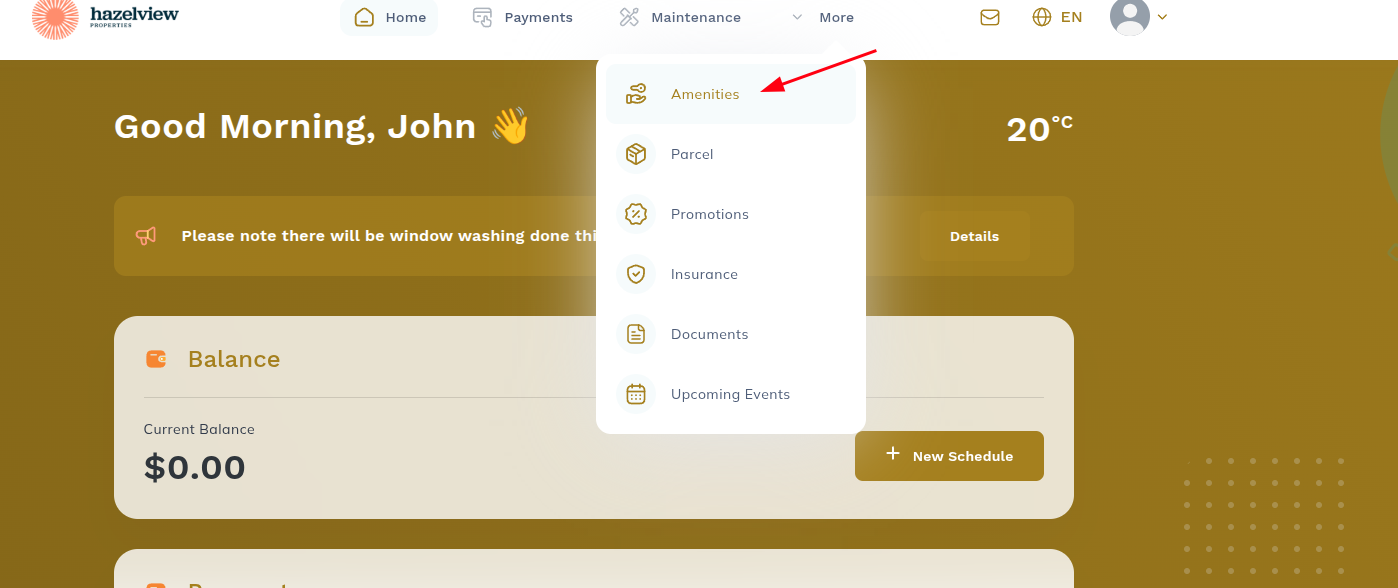
- Select Amenities at the top
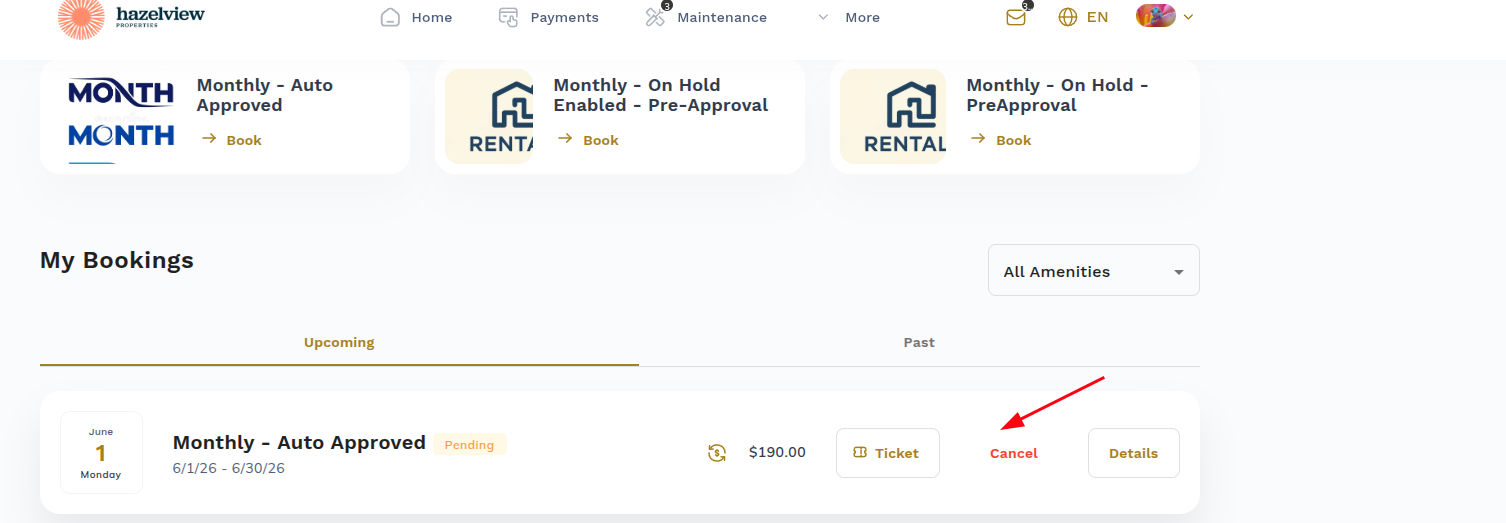
- Scroll down to My Bookings section
- Click Cancel next to your reservation
- Once the booking has been cancelled, please ask your property management to contact Payquad Support to request a refund on your behalf.
Was this article helpful?
That’s Great!
Thank you for your feedback
Sorry! We couldn't be helpful
Thank you for your feedback
Feedback sent
We appreciate your effort and will try to fix the article