Overview
Depending on your property management's configuration, some amenities may require payment to complete a booking. If a fee applies, availability can be checked before booking, and the applicable price will be displayed.
Some amenities require payment at the time of booking, while others allow payment to be made later. Once payment is completed (if required), the booking will appear in your bookings list, and a confirmation will be sent by email and through the resident portal.
This article explains how to book and pay for amenities through the resident portal.
Steps
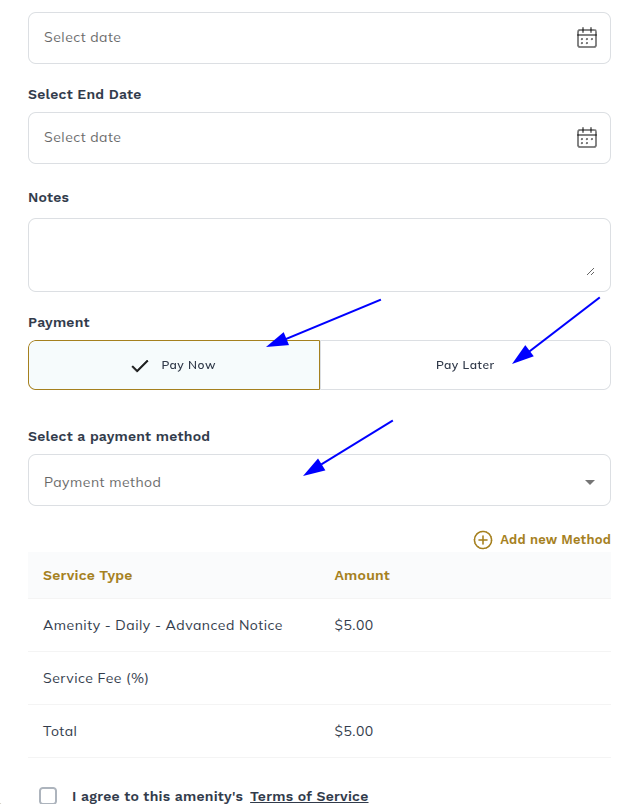
If an amenity requires payment, please make sure to fill out the payment information as seen below
Make sure there is a date and a payment method, then click " Agree to the terms".
Was this article helpful?
That’s Great!
Thank you for your feedback
Sorry! We couldn't be helpful
Thank you for your feedback
Feedback sent
We appreciate your effort and will try to fix the article