Overview
If a tenant occupies more than one unit — for example, they rent two separate suites — property management can link both units to a single tenant account. Once linked, the tenant can seamlessly switch between units directly from the portal without logging out or using a separate account.
Prerequisites
Before you can switch between units, the following must be in place:
Your property manager must have linked both units to your account.
You must be logged in to the tenant portal.
Both units must be active in the system.
ℹ️ Note: Only property management can link units to your account. Contact your property manager if you believe you should have access to multiple units but don't see the option below.
How to Switch Between Linked Units
Follow these steps to switch the active unit in your tenant portal:
1. Log in to the tenant portal.
2. Navigate to your home dashboard.
3. Click on the Profile icon in the top navigation bar.
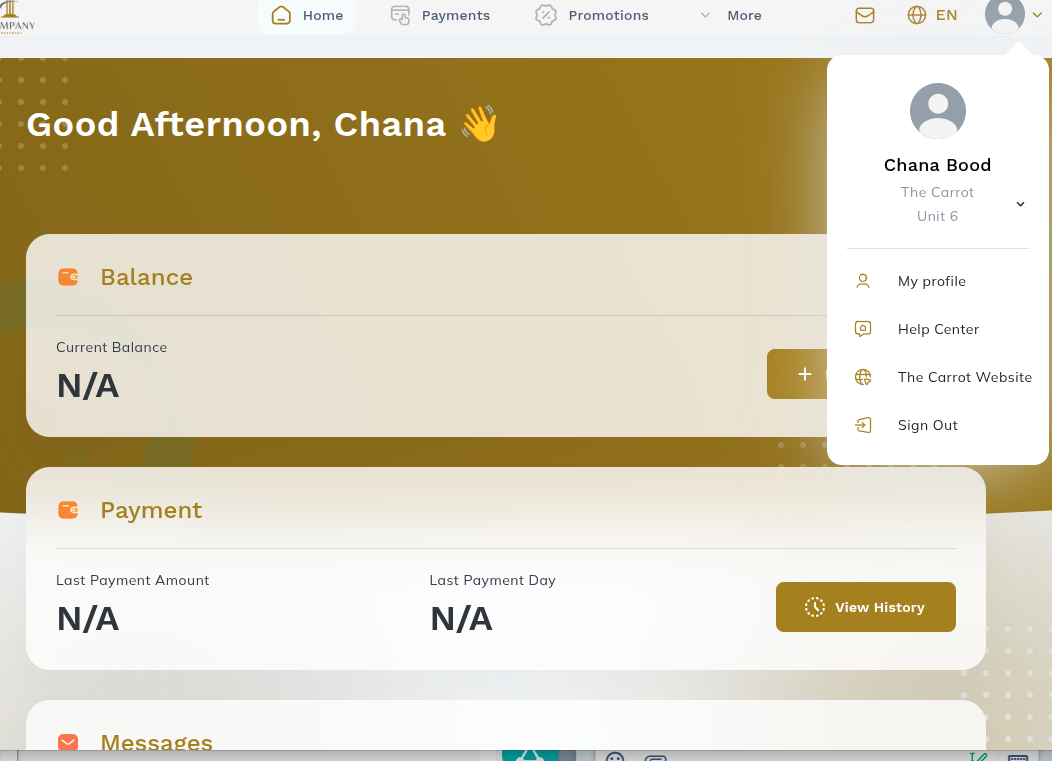
Figure 1 – Click the Profile icon in the top navigation
4. A dropdown menu will appear showing your other linked units. Click the unit you want to switch to.
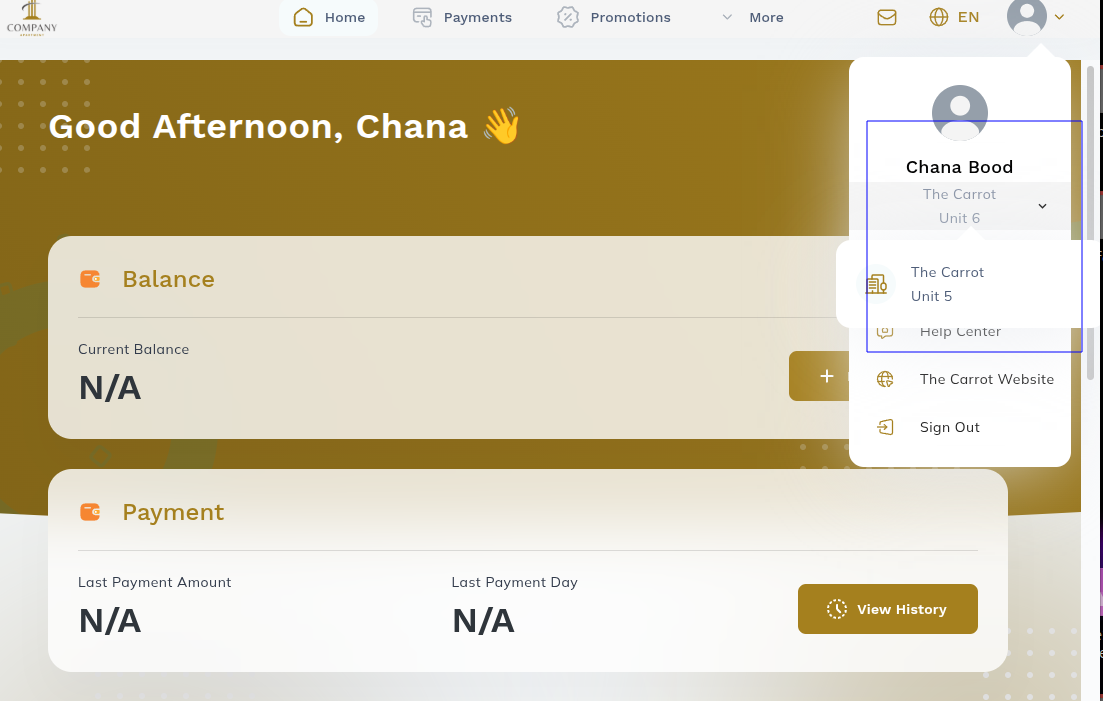 Figure 2 – Dropdown displaying all units linked to your account
5. Once you select a unit, the portal will refresh and the tenant name displayed will update to reflect the selected unit.
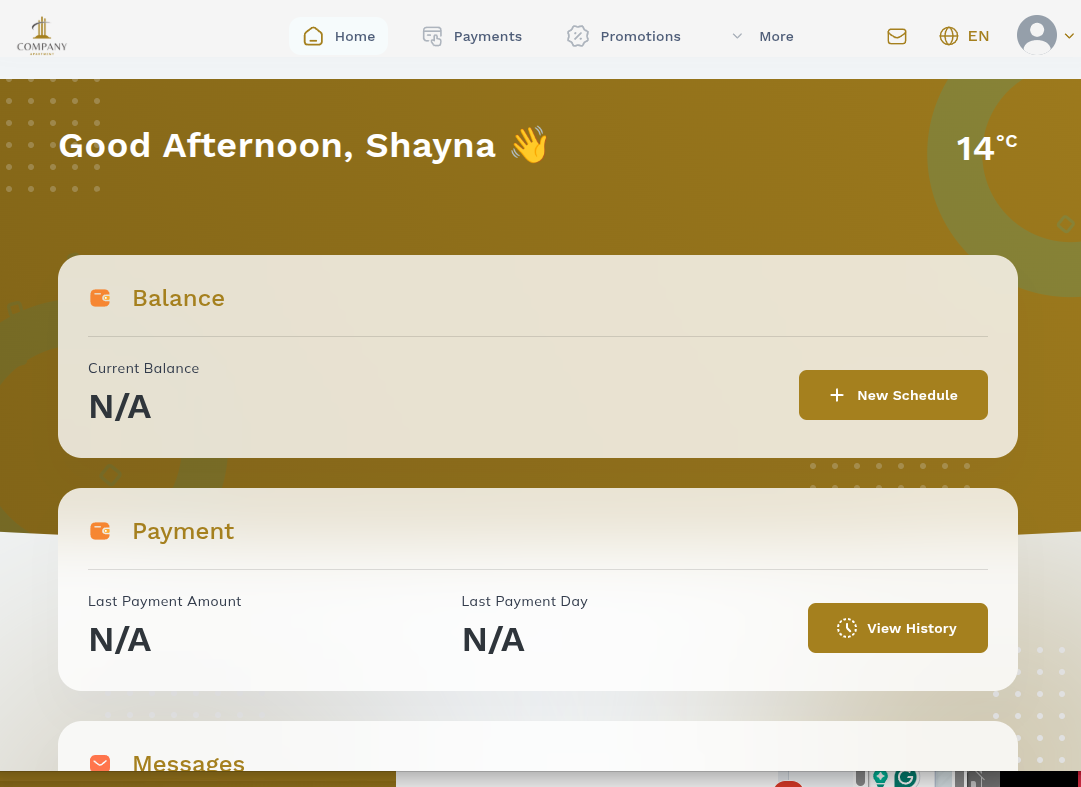 Figure 3 – The portal now shows the selected unit and tenant name
Result
After switching units, you can perform all standard portal actions — including making payments, submitting maintenance requests, viewing lease documents, and more — for whichever unit is currently active. To switch back, simply repeat the steps above.
Frequently Asked Questions
Q: Can I see both units at the same time?
No. The portal shows one active unit at a time. You must switch between them using the steps above.
Q: Will my payment history from both units be combined?
Payment history is displayed per unit. Switch to the relevant unit to view its specific transaction history.
Was this article helpful?
That’s Great!
Thank you for your feedback
Sorry! We couldn't be helpful
Thank you for your feedback
Feedback sent
We appreciate your effort and will try to fix the article