Overview
The Tenant Portal can be displayed in either English or French. The language can be changed at any time from the top-right corner of the page.
How to Change the Language
Log in to the Tenant Portal.
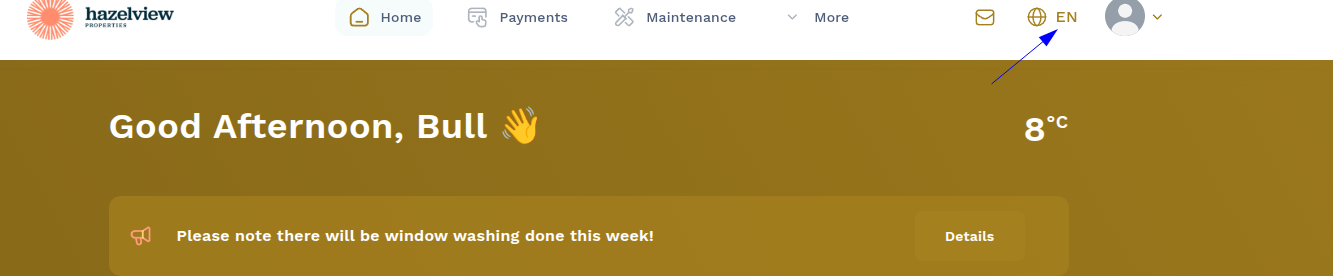
Locate the EN language selector in the top-right corner of the page.
Click EN to open the language menu.
Select Français to switch the portal to French.
Note: The language change is applied immediately after selecting Français.
Example
The language selector is located in the top-right corner of the Tenant Portal, as shown in the screenshot below.
Was this article helpful?
That’s Great!
Thank you for your feedback
Sorry! We couldn't be helpful
Thank you for your feedback
Feedback sent
We appreciate your effort and will try to fix the article