Overview
Your management company may have a feature where you can leave messages and communicate with your management about a specific maintenance request. If it is enabled, you will see the comments section.
Steps
- Log into your Tenant Portal
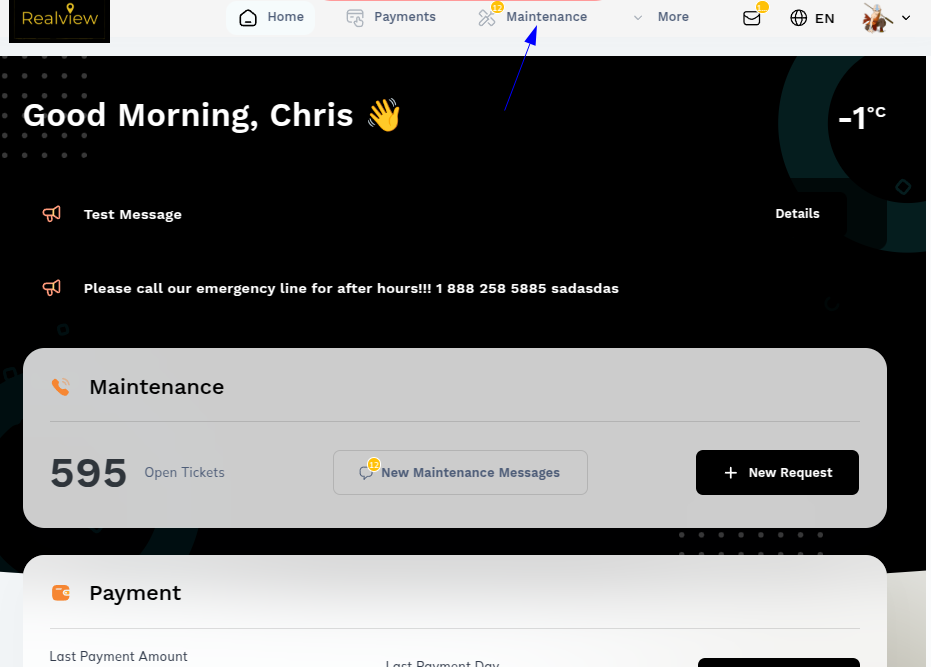
- Click your MAINTENANCE icon in the taskbar.
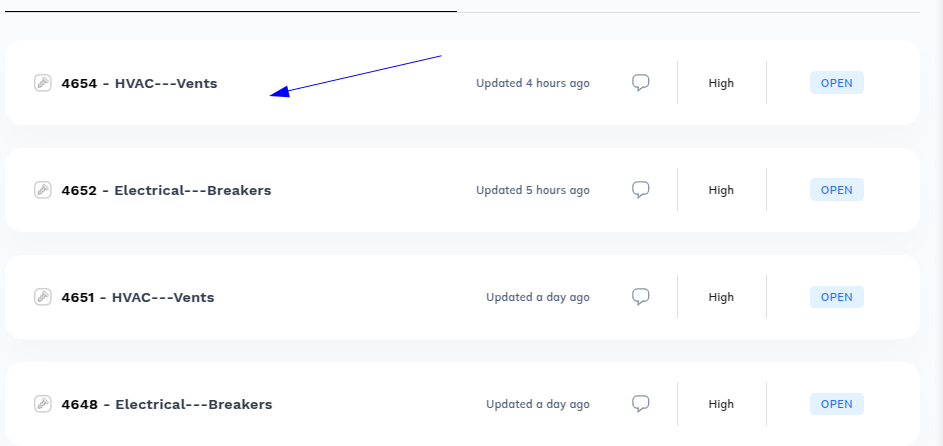
- Open the the request you’d like to message your manager about and then click the button.
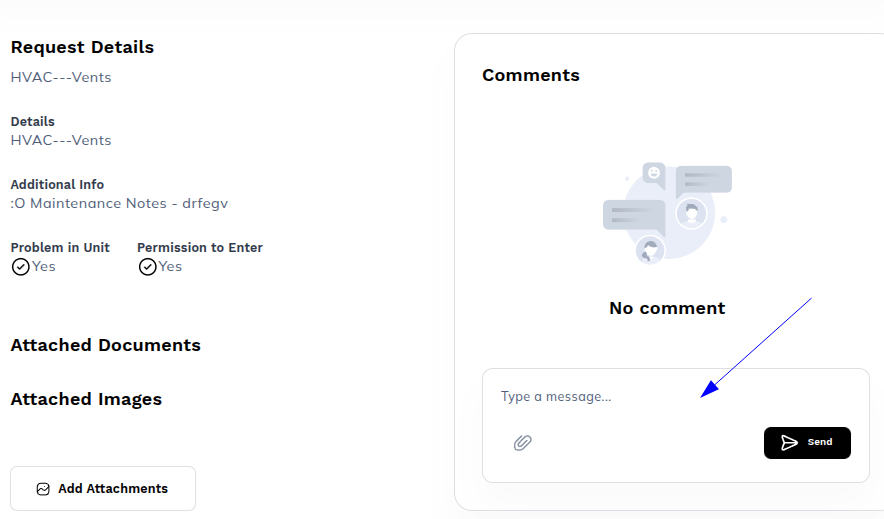
- Enter your message in the box provided and then hit Send, as seen below.
Was this article helpful?
That’s Great!
Thank you for your feedback
Sorry! We couldn't be helpful
Thank you for your feedback
Feedback sent
We appreciate your effort and will try to fix the article