Overview
Residents can create payment schedules to pay rent automatically from a bank account, Visa/Mastercard Debit or Direct Debit. Once there is an existing schedule the amount, as well as the payment method, can be changed.
Steps:
- Login to your Payquad account
- Click on Payments
- Click on Autopay Schedules
- Select the Scheduled Payment click edit
- Scroll down to the amount to pay and/or payment method and edit it.
Note:
Before completing this step, you’ll need to add a new payment method. For instructions, Click Here.
Once added, your new payment method will appear in the dropdown menu, where you can select it.
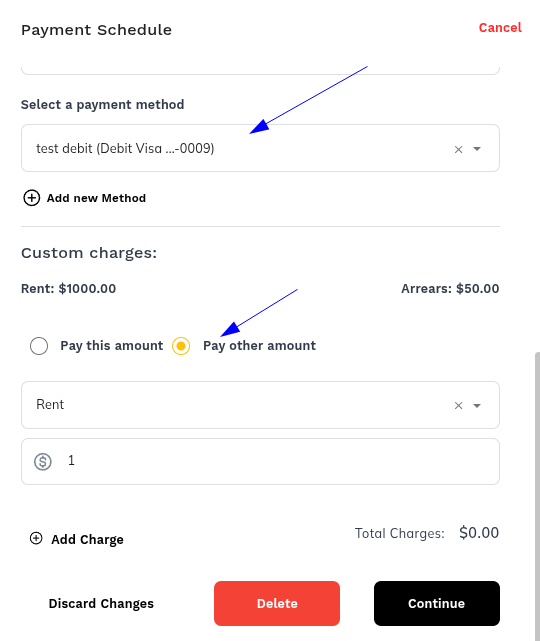
- Click Continue
- Click Save Schedule
Was this article helpful?
That’s Great!
Thank you for your feedback
Sorry! We couldn't be helpful
Thank you for your feedback
Feedback sent
We appreciate your effort and will try to fix the article